
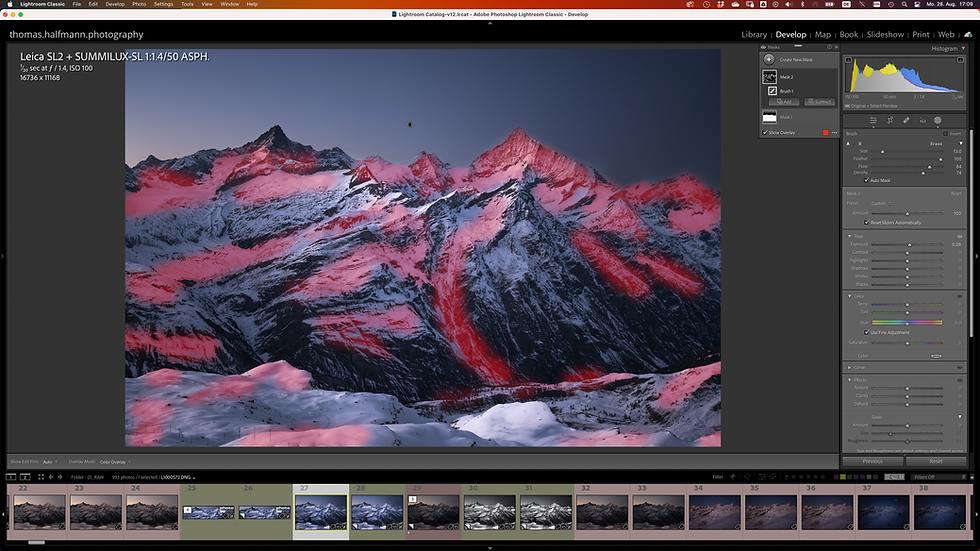
Adobe Lightroom Workshop (English)
January 18, 2026 at 8:30:00 AM
7 hours
My studio in Reinach (BL)
Organize photos efficiently and edit them intuitively to get more "wow" for your pictures
About the Course
When you are starting with Adobe Lightroom, the organizing and editing capabilities can be overwhelming. In this workshop, I show you how you manage your entire image portfolio efficiently and how to use the powerful editing capabilities of Lightroom. In my workflow, I use 98% Lightroom and 2% Photoshop. Get all the insights from someone, who is using Lightroom daily for more than 15 years.
Are you experiencing continuous growth in your portfolio and seeking an efficient and effective way to organize it?
Although your images are already great, do you wish to enhance them further by learning how to utilize Lightroom's editing capabilities?
Have you taken a glance at Adobe Lightroom and feel daunted by the myriad of options it provides?
During this workshop on Adobe Lightroom, I will dedicate a day to demonstrating my approach to organizing my image collection and efficiently editing my photos. When it comes to editing, I rely on Lightroom for 98% of the process and only turn to Photoshop for 2% of the tasks (specifically for more detailed retouching).
I will demonstrate the most effective ways to utilize Lightroom and explore the creative image editing options it provides to enhance your images to their fullest potential.
During the workshop, I will demonstrate my workflow and we will collaborate on editing your images. Based on past experience, most individuals tend to grasp the art of editing images with Lightroom quite easily. Our emphasis will be on efficiency as we unveil the key techniques for effective image editing in Lightroom. Catalog organization can be a challenge for many, so we will assist you in determining the optimal approach to structure your catalog.
During the discussion, we will cover the processes of archiving and retrieving images, as well as examining backup and security measures for safeguarding your valuable image files both during the shoot and in your archive.

This workshop will concentrate on photographs, guiding you through Adobe Lightroom to effectively organize, archive, and edit your images.
To guarantee optimal learning outcomes and individualized attention, the workshop will have a limited group size of up to 8 participants.
The Day
Introduction to Adobe Lightroom
Organization of storage media
Organizing your own catalog with Adobe Lightroom
Developing images with Adobe Lightroom
Integration with Adobe Photoshop
Exporting and printing
What is Included
Individual support in a small group (max. 8 participants)
Not included are lunch, arrival and departure, accommodation in Basel.
Equipment
Laptop with Lightroom Classic already installed and a selection of your own images (ideally in RAW format)
You can download a free trial version of Lightroom Classic from the Adobe homepage(https://adobe.ly/3jURhlf). Please make sure that you download the Lightroom Classic version and that it is still active at the time of the workshop.
Language / Sprache
This workshop will be delivered in English.
Die deutsche Version des Workshop findest du bei der Workshop-Übersicht.
Minimum Number of Participants
3
Maximum Number of Participants
8
Your Instructor
Thomas Halfmann
Pricing
CHF 390
REGISTRATION
This workshop is organized and conducted by thomas.halfmann.photography. Please register for the workshop using the registration form.